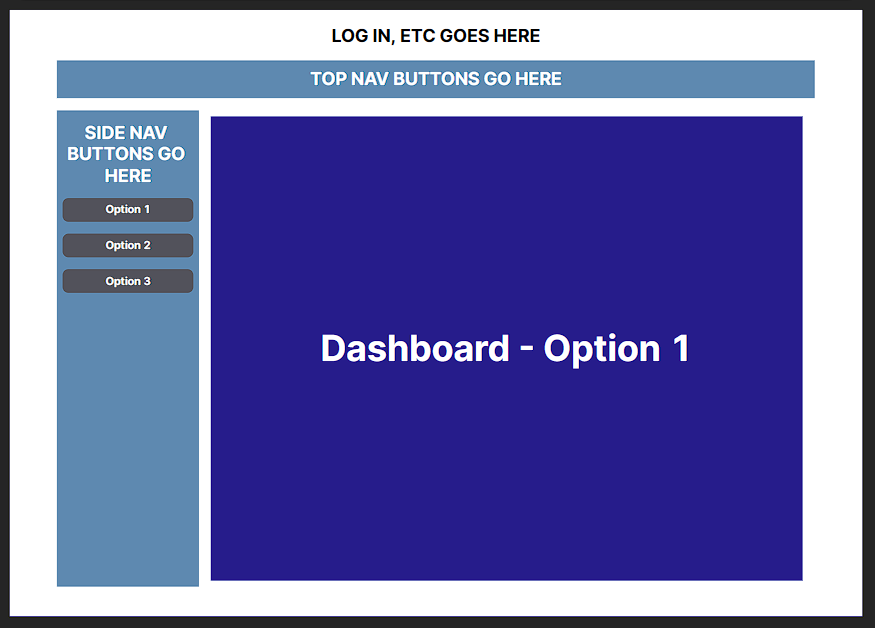
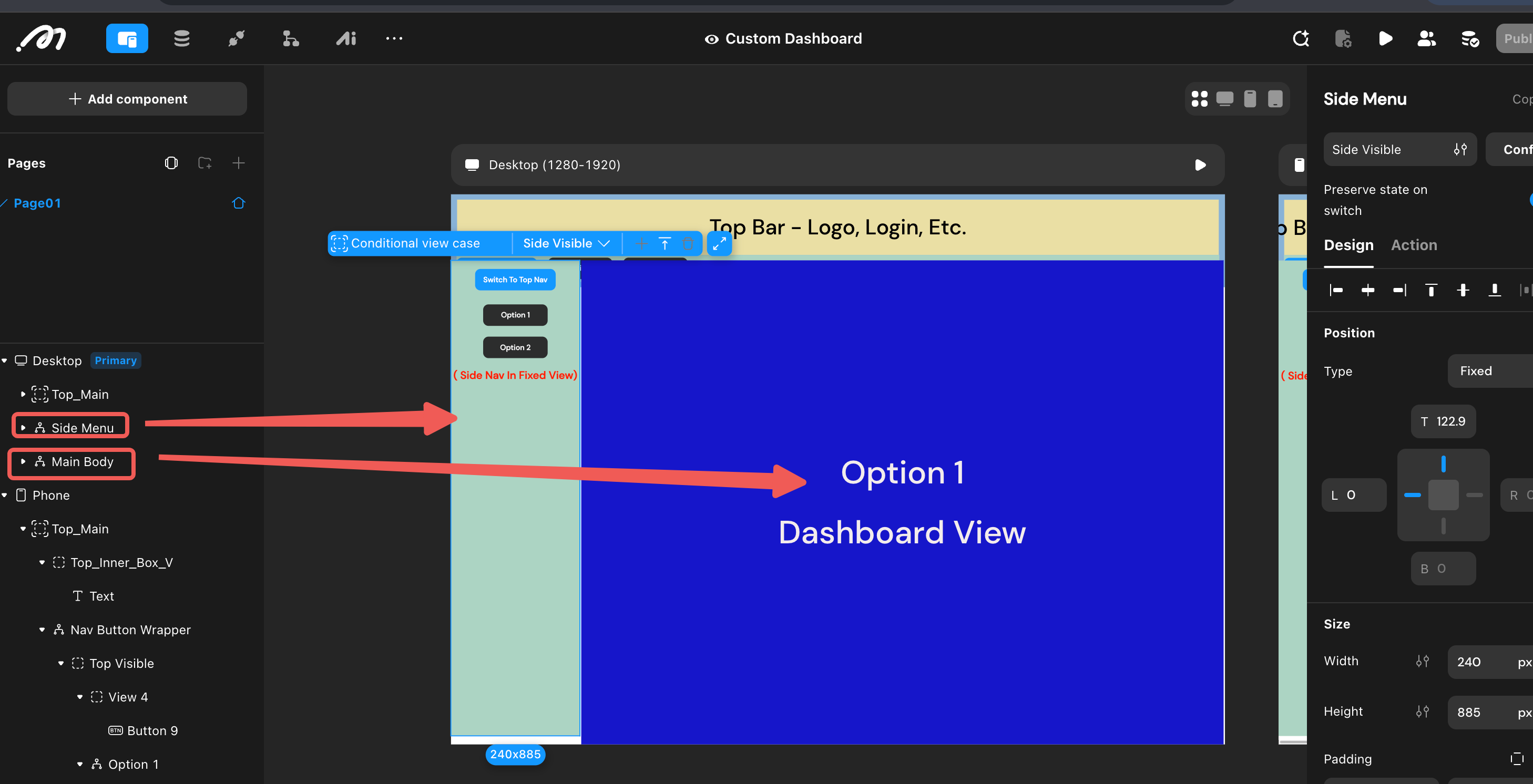
I have spent a lot of time on this and I don’t know if this is possible or I am staring too close to see how to do this today ( I feel like I am missing something simple) but I am trying to have the ability to have different nav button locations/views and size the dashboard according. I am trying to avoid having duplicate copies of “Dashboards” in the event I make changes to the Dashboard in “side nav menu” and not in the “top nav menu”.
The dashboard is a conditional view where the cases match up with cases on the button condition views. I got that part down
I will have a button or icon/image to determine if the side menu or the top menu is visible. I got that part down
Here lies my questions:
How do I make dashboard width automatically adjust to which nav button view is visible
a) i.e. side menu nav is @ 20% and dashboard is @80%. (or whatever works)
b) i.e. top nav buttons visible and dashboard width is 100% (or whatever works)
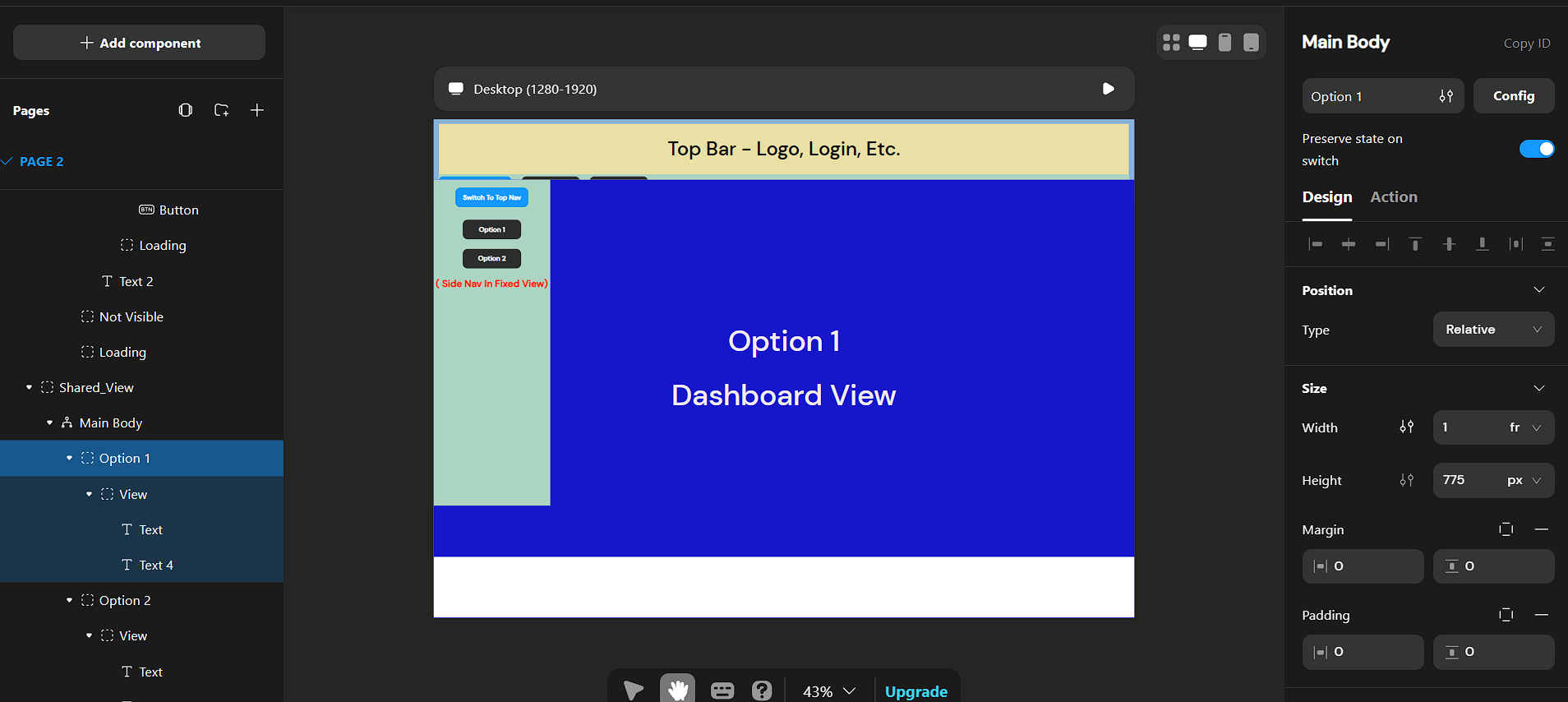
I’m not sure if this is the effect you want. Essentially, this uses fr. When the nav button view’s width is 0, the right side takes the full width (100%). When the left side has a non-zero width, the right side fills the remaining space.
I would like the size of the dashboards (Option1 and Option 2) to automatically adjust depending on where the nav buttons for Option 1 and Option 2 are located (using the blue button as the switch).
I can’t get the dashboard **Width and Height** to adjust based on what nav view is visible and have only 1 version of an Option 1 (or Option 2, etc). I see how to do it if the the Shared Body is a Conditional View, but then you have two versions of the dashboard.
So if you make a change to a dash board in “side menu view” then you have to make it in the view case of that same dash board for “top menu view”.
Small correction: fr stands for “fraction” (of the available space). In a single container with two children, if child A’s width is set to fr and child B’s width is 0, A will expand to fill the parent. You can see this behavior in the custom_dashboard page of this project: MOMEN | Build web apps without code